
Advanced Configuration
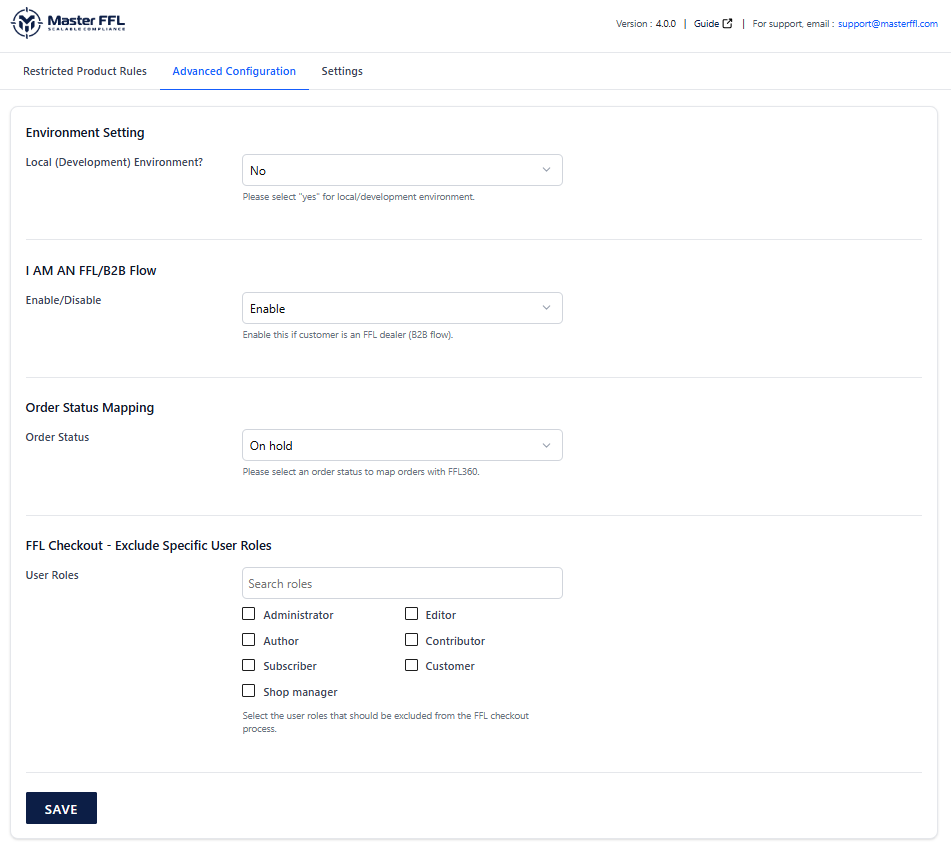
The advanced configuration section offers advanced features.
I AM AN FFL / B2B Flow

The I AM AN FFL / B2B Flow enables licensed FFL dealers to purchase products directly through the storefront using their own FFL license information. This feature must be enabled in Advanced Configuration before the "I AM AN FFL" option will appear during checkout.
When enabled, dealers can verify their FFL license and ship orders directly to an address registered under that license, eliminating the need to select a receiving FFL dealer.
B2B Flow Checkout Experience
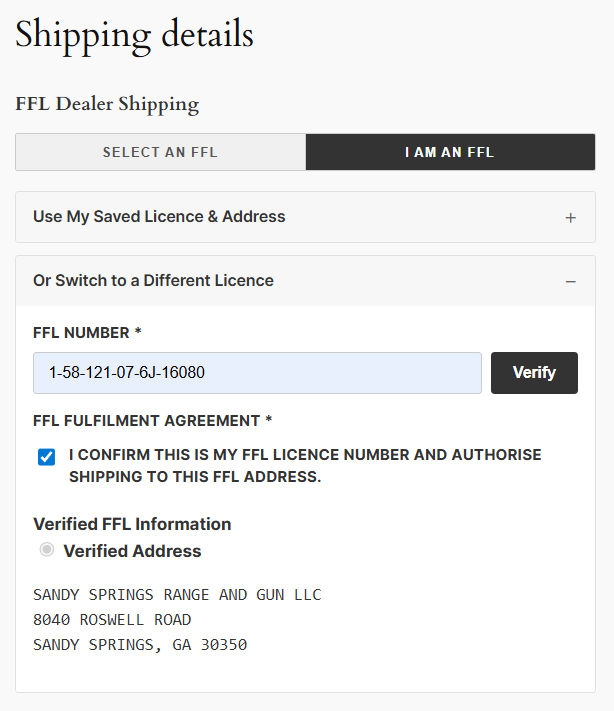
When a customer selects "I AM AN FFL" during checkout, they are prompted to enter their FFL license number. Master FFL validates the license against its dealer database. If the license is valid, all shipping addresses associated with that FFL are displayed for selection.
The dealer selects the desired registered address, confirms ownership of the license, and proceeds through checkout. The order is then shipped directly to the verified FFL address associated with the dealer's license.
Order Status Mapping

Overview
The Order Status Mapping setting determines when an order is sent from WooCommerce to FFL360 to begin the firearm transfer process.
Administrators can select a WooCommerce order status that acts as the trigger for synchronization. When an order reaches the configured status, Master FFL automatically sends the order information to FFL360 and initiates the transfer workflow.
Important Notes
- Orders are not transmitted to FFL360 until they reach the configured status.
- Only one order status can be selected as the synchronization trigger.
- Status updates made after the initial synchronization will continue to be sent to FFL360.
- Selecting the appropriate status helps ensure transfer records are created at the correct stage of your fulfillment workflow.
Updated 3 months ago