
Grant Storefront Access
1. Grant BigCommerce Access for App Installation
Create a BigCommerce user account for the MasterFFL team so we can install the app and configure checkout.
Steps to Provision Access
-
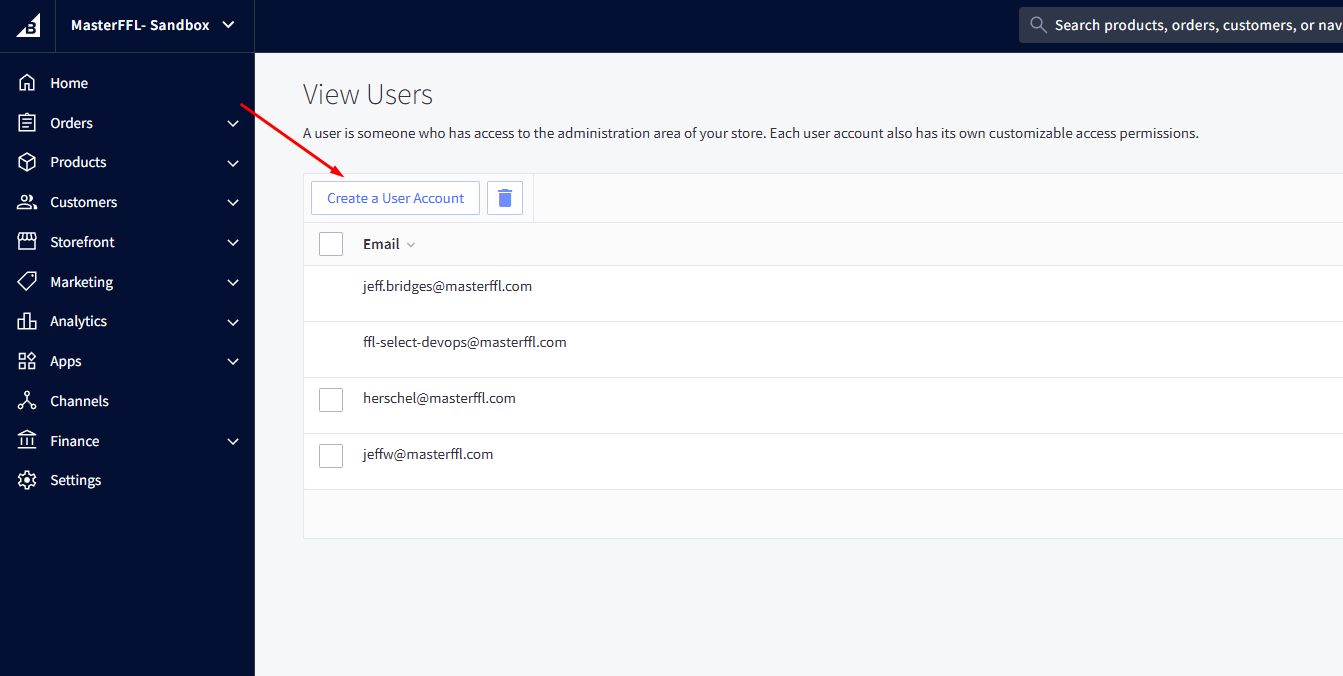
In your BigCommerce admin, go to Settings > Users.
-
Click Create a User Account.
-
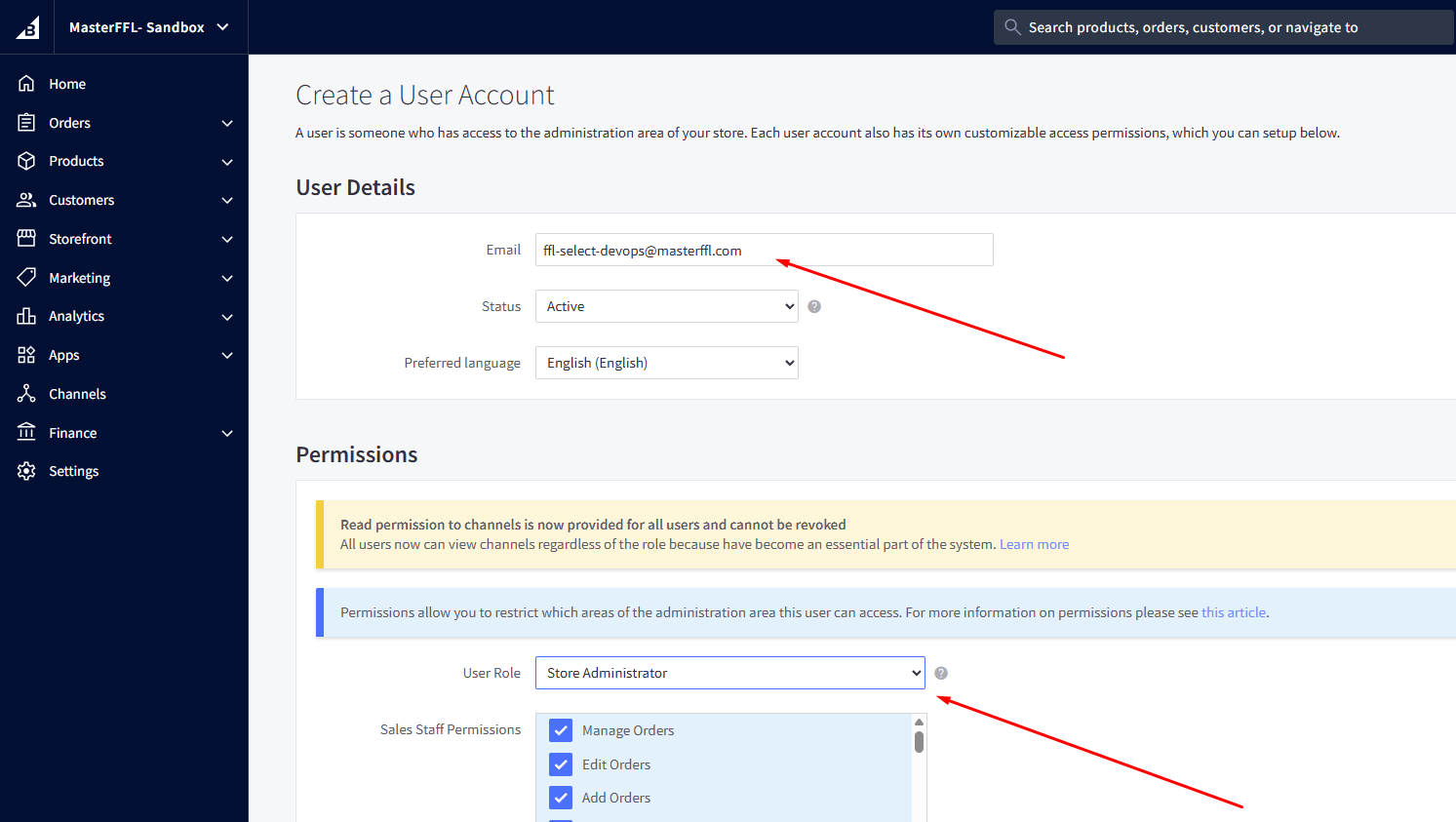
Enter the email address:
[email protected] -
Set the role to Store Administrator.
-
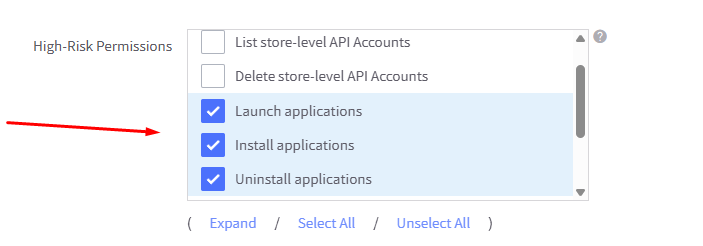
In the High-Risk permissions section, enable:
- Launch Applications
- Install Applications
- Uninstall Applications
- Save the user account.
This is the first step in onboarding and is required before we can complete app installation and checkout configuration.
Updated 3 months ago
Did this page help you?