
Grant Admin Access for MasterFFL
Create a Magento Admin user account for the MasterFFL team so we can install, configure, and verify the MasterFFL extension.
Steps to Provision Access
-
In your Magento Admin, navigate to System → Permissions → All Users.
-
Click Add New User.
-
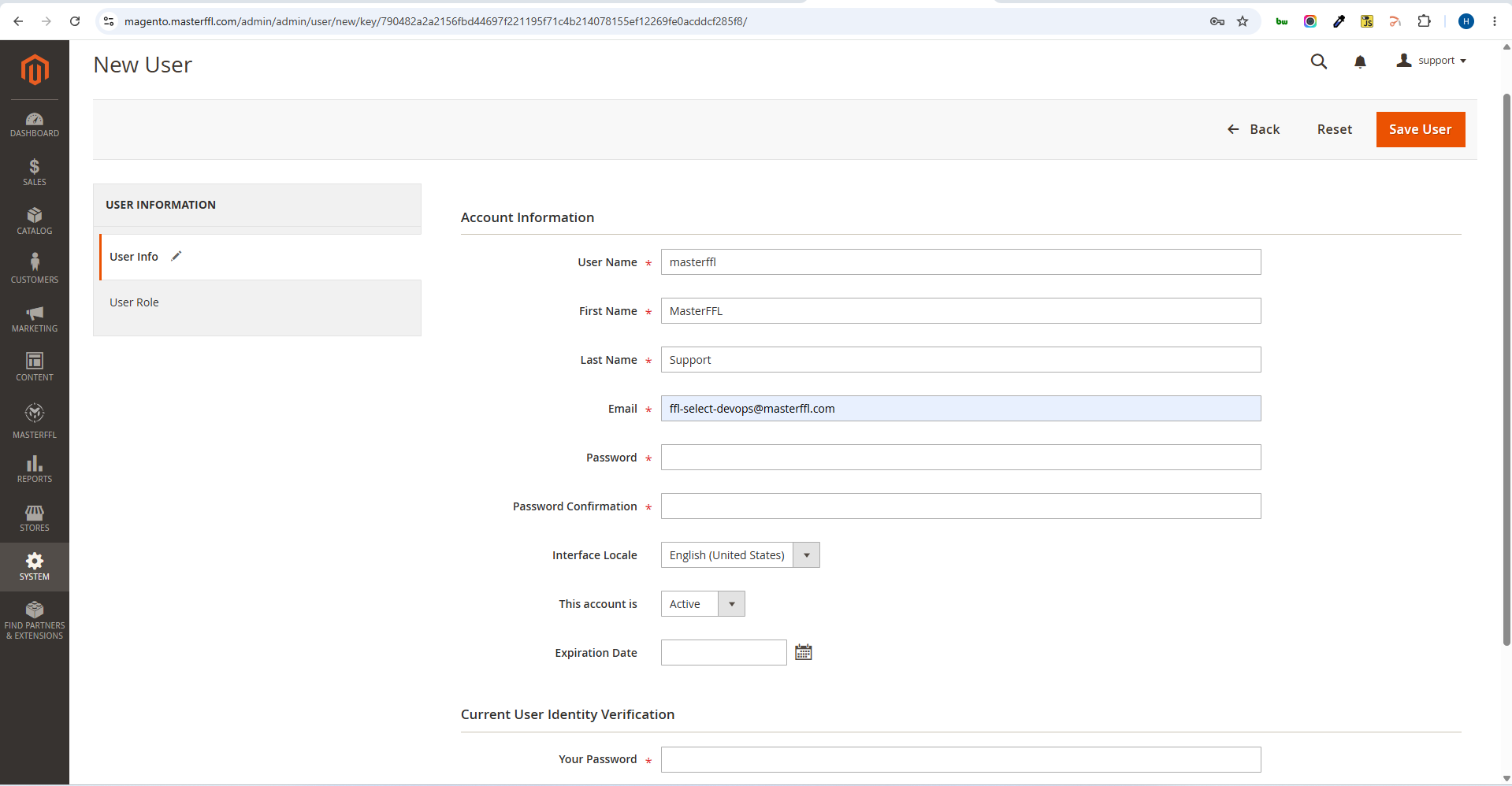
Enter the following email address:
[email protected] -
Complete the required user information, including:
- User Name
- First Name
- Last Name
- Password
-
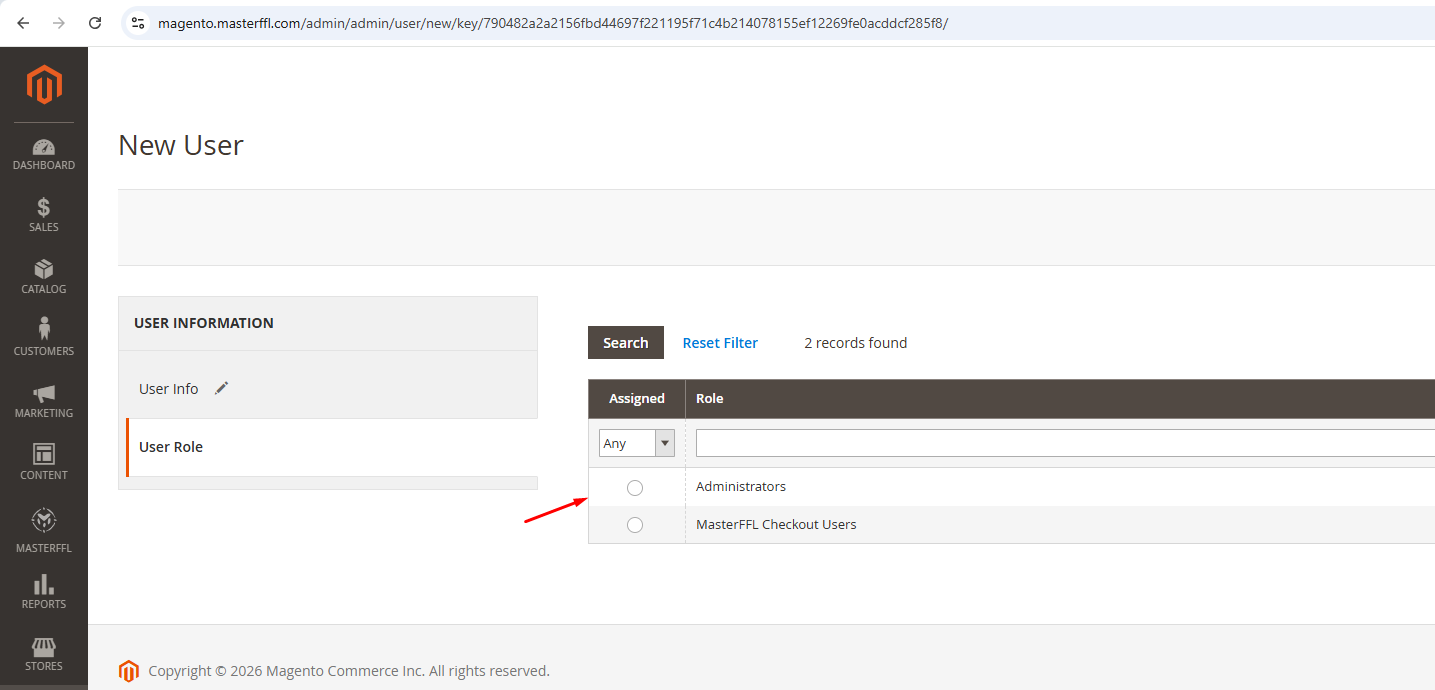
Open the User Role tab.
-
Assign the user an Administrator role with full access to the Magento Admin panel.
-
Click Save User.
Important Notes
- Administrator-level access is required for MasterFFL installation, configuration, testing, and troubleshooting.
- If your organization restricts Administrator access, please ensure the assigned role has permissions to:
- Manage extensions and modules
- Access Stores Configuration
- Manage Orders
- Manage Products and Categories
- Access System Configuration
- Manage Cache
- Access MasterFFL configuration settings
This is the first step in onboarding and is required before we can complete MasterFFL installation and configuration.
Updated about 1 month ago
Did this page help you?